Learn Piano Without Sheet Music
Learning piano shouldn't be reserved for those with the time, money, or patience for years of music theory. There exists a serious, pragmatic, and accessible method: relying on piano-roll visualizations — the 'falling notes' — to start playing immediately, then transform this quick start into lasting progress through structured and targeted practice. This is precisely the path Pianity offers, complementing tools like Synthesia.
Why learn piano without sheet music?
For many, music theory is a barrier: expensive lessons, abstract jargon, slow progression. Yet the motivation exists, as does the will to play. Learning without sheet music isn't a shortcut or an imposture: it's an alternative approach based on ear training, repetition, and structure. This approach allows you to:
- start playing quickly and maintain motivation,
- develop muscle memory through concrete exercises,
- acquire real musical skills, even without reading staff notation.
Falling notes: understanding the visual method
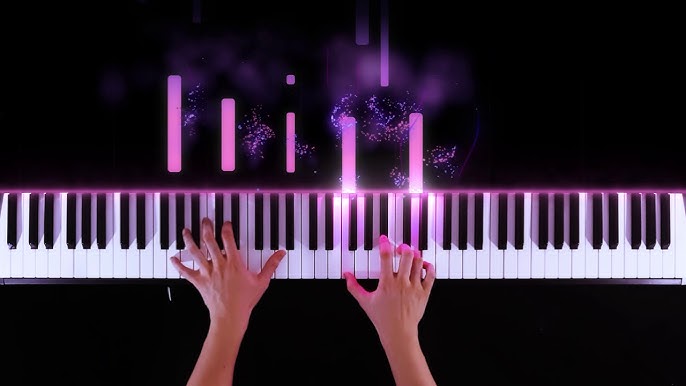
Piano-roll visualizations (like Synthesia) show notes falling on a virtual keyboard. Each note corresponds to a key, and the timing is visual: simply press when the note reaches the key. It's intuitive, immediate, and gives the feeling of 'playing' within the first few minutes.
But be careful: this method alone has its limits. Without structure, you risk passive imitation, visual dependency, and incorrect automatisms. This is where Pianity comes in: by adding loops, controlled progression, and statistics, we transform simple imitation into real learning.
Why Pianity perfectly complements this approach
Pianity isn't just a video player. It's a tool designed to transform visualization into lasting skills. Here's how:
- play simple songs from the very first sessions
- transform repetition into measurable progress
- make learning accessible without long years of music theory
- facilitate transfer from visual to real memory
- benefit from a community and shared loops to accelerate learning
Create effective practice loops
Instead of playing an entire piece, Pianity allows creating loops on difficult passages. You just repeat those few seconds until your fingers 'know' them by themselves. This is the foundation of muscle memory: repeat, repeat, repeat, but intelligently.
Loops can be short (2-3 seconds) or longer (10-15 seconds). The important thing is to target a specific gesture and repeat it until it becomes automatic.
Progress Auto and muscle memory
Pianity's Progress Auto mode is a revolution for learning. It automatically manages speed: you start slowly, then acceleration is gradual and controlled. When you master a speed, the system moves to the next one.
This approach avoids the boredom of speeds that are too slow and the frustration of speeds that are too fast. You progress at your own pace, but with a structure that guarantees results.
Step-by-step method to learn without sheet music
Initial recognition with visualization
Choose a simple piece. Watch the piano-roll representation to identify the melody and repetitive patterns. Use slow motion the first time to understand the form.
Define the loop (mandatory step)
Select a short targeted section (2–8 measures). Save it with a clear name. The loop is the foundation of focused work: without a loop, no progressive training.
Configure Progress Auto on the loop
On the created loop, configure:
a starting speed (slow, comfortable)
an ending speed (realistic goal)
a number of repetitions before each speed increment
Launch the cycle: the loop repeats automatically, speed increases according to your settings. You can stay focused on execution, not on tempo.
Work hand by hand, then together
Isolate each hand, stabilize the weaker one with Progress Auto, then reassemble at a reduced speed. The goal is precision before speed.
Transfer to independence
When the loop plays cleanly several times at target speed, gradually reduce the visibility of the piano-roll. Record a take without display: if you hold the sequence, internal memory has taken over.
Recommended daily routine (30–45 minutes)
Technical warm-up (scales or simple chords)
Visual recognition and active listening (Synthesia)
Targeted loop + Progress Auto (Pianity)
Separate hand practice
Test without visual and recording
Consistency matters more than duration. Better to have 10–20 daily, structured minutes than irregular, long sessions.
Muscle memory levers and how Pianity activates them
Motor memory is built through targeted repetitions, feedback, and load progression. Pianity acts on three essential levers:
- precise repetition: named loops allow repeating exactly the same gesture,
- progressive load: Progress Auto ensures controlled tempo increase,
- feedback and tracking: session history makes progress measurable and actionable.
These levers avoid random frequency and transform repetition into reliable automatism.
Concrete advantages of the Synthesia + Pianity approach
- play simple songs from the very first sessions
- transform repetition into measurable progress
- make learning accessible without long years of music theory
- facilitate transfer from visual to real memory
- benefit from a community and shared loops to accelerate learning
Limitations and pedagogical recommendations
- don't just imitate: complement with ear training exercises, some chord and interval concepts, and rhythmic flexibility practice;
- vary contexts: record your attempts, transpose, play without display to consolidate;
- in case of incorrect automatisms, consult a teacher for targeted corrections.
An experience optimized for phone
Pianity is designed to work very well on mobile. Touch access facilitates loop creation and frequent practice. For optimal ergonomics, when Progress Auto and Sections are active, turn your phone to horizontal mode: readability and handling comfort are significantly improved.
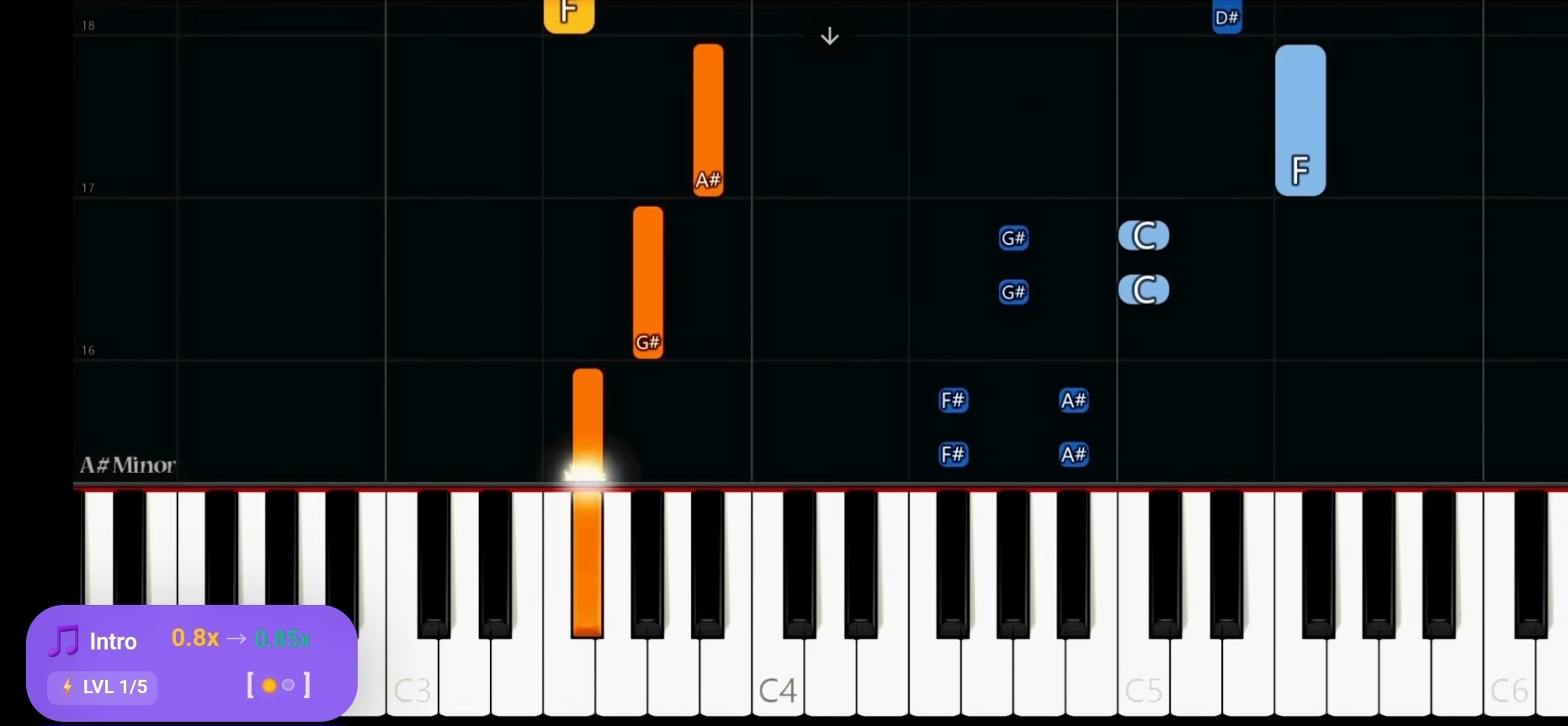
During playback, Pianity shows the active loop, the number of repetitions and the speed to structure the training.
Brief founder story
One evening, a video with falling notes made me want to play. Without sheet music, without a teacher, I learned by slowing down videos and repeating the same phrases. After months of work, the melody finally stuck. From this experience was born the idea of Pianity: a tool that automates the steps I manually fumbled through, so others don't have to reinvent the method.
What you can expect when you start
- Visible progress in a few weeks on simple phrases.
- A work structure that protects your motivation.
- Growing confidence until playing without visual aid.
- A practice flow designed to consolidate muscle memory.
Call to Action
If you're ready to transform your sessions into real progress, start by creating your first account, adding a piece, defining a loop, and launching your first Progress Auto cycle. The method is simple, but it requires consistency and patience. With the right tools, everything becomes achievable.
Start with Pianity